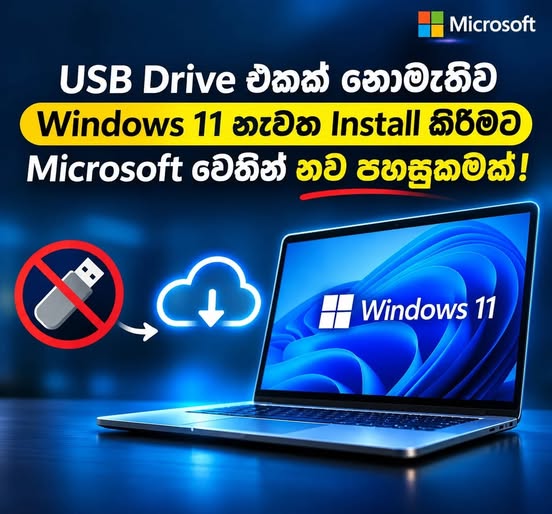
What do you do when your Windows operating system crashes and refuses to boot? Traditionally, fixing a corrupted OS meant finding a working second computer, downloading an ISO file, and creating a bootable USB drive to reinstall Windows from scratch.
To eliminate that hassle, Microsoft is currently testing a powerful new feature for Windows 11 called Cloud Rebuild—designed to make system recovery faster, cleaner, and completely independent of external storage media.
Quick Overview: Windows 11 Cloud Rebuild vs. Traditional USB Reinstall
| Feature | Traditional USB Reinstall | Windows 11 Cloud Rebuild |
|---|---|---|
| External Media Required | Yes (8GB+ USB flash drive & second PC if OS fails) | No (Downloads OS files directly over the internet) |
| Works When PC Won't Boot? | Yes (via BIOS/UEFI boot menu) | Yes (via Windows Recovery Environment / WinRE) |
| Secure Data Erasure | Standard partition formatting | Built-in Drive Sanitization (permanent data wipe) |
| Supported Versions | All Windows versions | Windows 11 25H2 and 26H2 (gradual rollout) |
| Where to Find It | Media Creation Tool / ISO | Settings → System → Recovery (or WinRE) |
What Is Windows 11 Cloud Rebuild?
Cloud Rebuild is an upcoming system recovery capability that allows your PC to download the fresh system files required for a clean Windows 11 installation directly over the internet.
When a critical system error occurs—or when you simply want a fresh start—you no longer need to hunt down a flash drive or use a separate computer to build installation media. The system fetches a clean Windows build from Microsoft's servers and handles the reinstallation automatically.
What If Your PC Won't Boot into Windows?
A common concern with built-in recovery tools is what happens when the operating system won't start at all. According to current reports, Cloud Rebuild will be accessible directly from the Windows Recovery Environment (WinRE) even when Windows fails to boot normally.
However, for this to work in a non-booting state, two conditions must be met:
- The PC must have an active internet connection (via Ethernet or supported Wi-Fi drivers in WinRE).
- The system's local Recovery partition/features must be intact and functional.
Built-In "Drive Sanitization" for Permanent Data Erasure
Alongside Cloud Rebuild, Microsoft is introducing a critical security feature called Drive Sanitization.
This tool securely wipes all data stored on your computer's drive before reinstalling the operating system. It is especially useful when:
- Selling or donating your personal computer to someone else.
- Repurposing or decommissioning corporate PCs within an organization.
- Ensuring sensitive personal or business files cannot be recovered by third-party forensic tools.
⚠️ Important Warning: Because Drive Sanitization is designed to permanently destroy data on the storage drive, files erased using this method are extremely difficult or impossible to recover. Always make sure your important documents, photos, and files are backed up to the cloud or an external drive before initiating a Cloud Rebuild with Drive Sanitization.
Who Gets Cloud Rebuild and How Do You Access It?
Reports indicate that Microsoft plans a gradual rollout of Cloud Rebuild for systems running Windows 11 versions 25H2 and 26H2.
Once the feature becomes available on supported machines, users will be able to access it directly from the Windows interface by navigating to:
- Open Settings (Win + I).
- Click on System.
- Select Recovery to locate the new Cloud Rebuild options (or boot into WinRE if the desktop is inaccessible).
Community Reaction and Why This Update Matters
For everyday PC users, preparing a bootable USB drive, configuring BIOS boot orders, and tracking down missing hardware drivers after a clean install can be intimidating and time-consuming. By automating system file downloads and recovery through Cloud Rebuild—in much the same way macOS offers Internet Recovery—Microsoft is aiming to make PC maintenance significantly more user-friendly.
Reactions across the Windows community have been mixed but largely constructive:
- The Pros: Tech enthusiasts and IT administrators praise the move as a major quality-of-life improvement that simplifies troubleshooting and device resets.
- The Concerns: Some users have expressed caution regarding the Drive Sanitization option, noting that casual users who don't fully understand permanent data wiping might accidentally erase unbacked-up personal files.
Because Cloud Rebuild is still in the testing phase, it is not yet live for all Windows 11 users—but it signals a clear shift toward cloud-first system recovery.
Frequently Asked Questions (FAQ)
Can I reinstall Windows 11 without a USB drive using Cloud Rebuild? Yes. Cloud Rebuild downloads the necessary Windows 11 installation files directly from the internet, eliminating the need for a bootable USB flash drive.
Does Cloud Rebuild work if my computer is stuck on a blue screen or won't boot? Yes, provided your Windows Recovery Environment (WinRE) is intact and your computer can connect to the internet while in recovery mode.
Which Windows 11 versions support Cloud Rebuild? The feature is currently being tested for a gradual rollout on Windows 11 25H2 and 26H2.
What is the difference between a standard reset and Drive Sanitization? A standard reset removes files, while Drive Sanitization securely scrubs the storage drive so that old data cannot be recovered using data-recovery software—making it ideal before selling your PC.
What do you think? Is adding Cloud Rebuild and Drive Sanitization to Windows 11 a step in the right direction? Share your thoughts in the comments below!
Tags: #Microsoft #Windows11 #CloudRebuild #WindowsUpdate #PCMaintenance #WindowsRecovery #TechNews #Technology