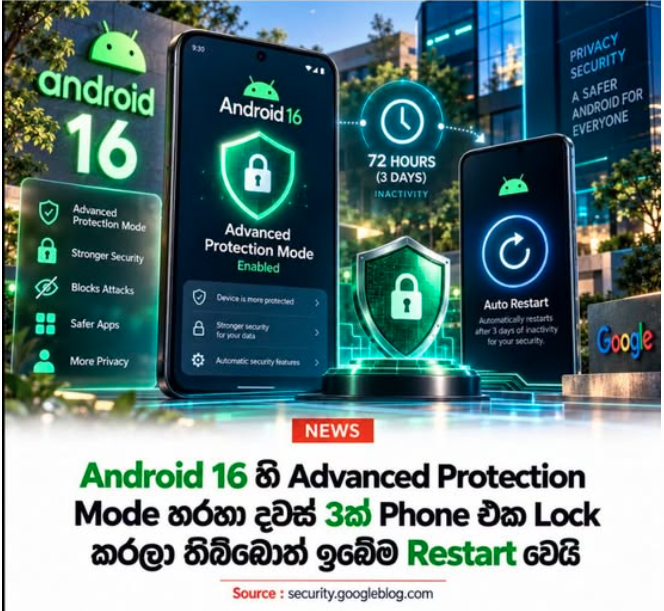
Google has elevated Android phone security to a higher level with the Advanced Protection Mode introduced alongside Android 16.
Although designed especially for journalists, public figures, and individuals at higher risk of targeted cyberattacks, any Android 16 user who desires enhanced security can enable this feature.
What Happens If It Remains Locked for Three Days?
A standout feature of Advanced Protection Mode is Inactivity Reboot.
If the phone remains continuously locked for 72 hours (3 days), the device automatically restarts. After restarting, the user data enters an unreadable state until the user unlocks it again using a PIN, password, or another primary authentication method.
This makes an attacker's job significantly more difficult, especially when trying to extract data using forensic tools or other attack techniques on a stolen smartphone or one they have gained physical access to.
Additional Protections Provided by Advanced Protection Mode
This capability is not limited to Inactivity Reboot alone. Google has combined a number of security protections under a single setting:
- Theft Detection Lock: Automatically locks the device if it detects suspicious movement indicative of a phone snatch or theft.
- Offline Device Lock: Automatically locks an unlocked phone if it remains disconnected from the internet for an extended period.
- USB Protection: On supported devices, it blocks unauthorized USB data connections while the screen is locked, offering extra protection against attacks attempting to access device data via a cable.
- Integrated Guardrails: Includes Failed Authentication Lock, Google Play Protect, unsafe app installation restrictions, Safe Browsing, and other security mechanisms operating together under Advanced Protection.
What Is Intrusion Logging?
Another critical feature of Advanced Protection Mode is Intrusion Logging.
It maintains security-related activity records, such as app executions, app installations, network connections, USB file transfers, and phone lock/unlock events.
These logs are stored on Google servers with end-to-end encryption and can be used for a forensic investigation with a security expert if a device compromise is suspected.
How to Enable Advanced Protection Mode
On an Android 16 device, you can enable the feature via:
- Settings → Security & Privacy → Advanced Protection → Device Protection
Or through Google Settings:
- Google → All services → Personal and device safety → Advanced Protection
(Note: Some devices may require a restart when enabling Device Protection.)
While this feature is particularly beneficial for high-risk users, Advanced Protection Mode offers an added layer of security to any user storing banking apps, passwords, private photos, business information, or other sensitive data on their phone. Notably, the 72-hour Inactivity Reboot feature makes it far harder for an attacker to exploit a stolen or intercepted phone over several days in an unlocked state.